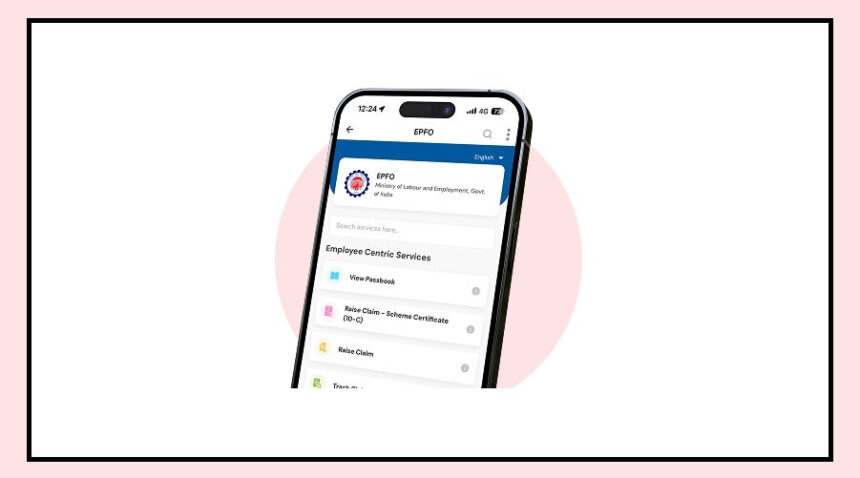
Planning to withdraw your PF money? Before you do that, there’s one important step you shouldn’t miss—updating your KYC details on the Employees’ Provident Fund Organisation portal.
The good news is you don’t need to visit any office.
You can complete the entire process online using your phone in just a few minutes.
Keeping your KYC updated helps you avoid extra tax deductions, makes withdrawals smoother, and ensures easy fund transfer when you change jobs.
How to Update Your Bank KYC Online
Updating your bank details on the EPFO portal is simple if you follow these steps:
First, go to the EPFO Member e-Sewa portal and log in using your UAN and password.
Once logged in, click on the “Manage” tab and select the “KYC” option.
Now choose “Bank” and enter your bank account number along with the correct IFSC code.
After that, verify your details using the OTP sent to your Aadhaar-linked mobile number.
Next, add your PAN details in the same section and verify again through OTP.
Once submitted, your request will show as “Pending with Employer.”
Your KYC will be updated after your employer approves it.
Important Things You Should Not Ignore
While updating your KYC, a few small mistakes can cause delays.
Make sure your name in the bank account matches your EPFO records exactly.
Your mobile number must be linked with Aadhaar, as OTP verification is required.
Always double-check the IFSC code before submitting.
Also, inform your employer after submitting the request so they can approve it quickly.
How to Check Your KYC Status
You can easily track whether your KYC has been approved or not.
Log in to the EPFO e-Sewa portal again and go to the “Manage” section.
Click on “KYC” and check the status under “Digitally Approved KYC.”
If it shows approved, you’re all set to withdraw or manage your PF without any hassle.
Why This Step Matters
Updating your KYC may seem like a small task, but it plays a big role.
It ensures faster PF withdrawals, avoids unnecessary deductions, and keeps your account ready for future changes like job switches.
Taking a few minutes to update it now can save you a lot of trouble later.