Indian Railways’ Tatkal ticket booking is a great option for passengers who need to travel on short notice.
However, this feature was often misused by touts, bots, and fraudulent agents, making it difficult for genuine passengers to get tickets.
To solve this problem, Indian Railways has introduced a strict new rule from December 1, 2025: OTP verification is now mandatory after booking Tatkal tickets.
This means a ticket will be issued only after the user enters the OTP sent to their registered mobile number.
Pilot Launch and Future Implementation
This new rule has currently started as a pilot project for the Mumbai Central–Ahmedabad Shatabdi Express (12009/12010).

According to the Railway Board, the system will soon be implemented across the entire Indian Railways network.
The goal is to make Tatkal booking fully transparent, prevent fraudulent transactions, and ensure only genuine passengers can book tickets
Aadhaar + OTP Now Compulsory
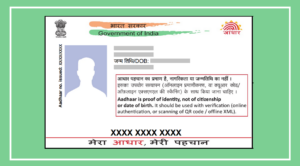
Since July 1, 2025, Tatkal booking is available only to users who have linked and verified their Aadhaar with their IRCTC account.

This confirms the identity of the passenger.
After booking a Tatkal ticket, an OTP will be sent to the mobile number provided during booking. The ticket will be generated only after entering this OTP.
How to Book a Tatkal Ticket
Step 1
Log in to the IRCTC website or mobile app
Ensure your Aadhaar is verified
Select Source, Destination, Travel Date
Choose the Tatkal option

Step 2
Enter passenger details (name, age, etc.)
Complete the payment quickly using your preferred bank or wallet
You will receive an OTP via SMS/WhatsApp (as applicable)
Enter the OTP to receive your ticket
Important Points to Remember
Delays in OTP delivery may occur if the mobile number is incorrect or the network is weak.
Make sure your Aadhaar and mobile number are linked to your IRCTC account before booking.
Tatkal booking is time-sensitive, so be prepared and log in a few minutes early.
How to Link Aadhaar With IRCTC
Step 1
Visit www.irctc.co.in
Log in using your username and password
Click My Account at the top right corner
Step 2
Select Aadhaar KYC under My Account
You will be taken to the Aadhaar linking page
Enter your 12-digit Aadhaar number and tick I Agree
Step 3: OTP Verification
Click Send OTP
An OTP will be sent to the mobile number registered with Aadhaar
Enter the OTP to complete verification