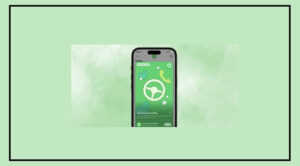
There is good news for Samsung smartphone users. The company has solved a major concern by introducing a feature called Maintenance Mode.
This feature is designed to protect your personal data when you give your Galaxy device to a service center for repair. It ensures that your private information stays completely safe during the servicing process.
How Maintenance Mode Works
As smartphones now store important financial and personal data, Samsung is focusing on giving users more control and security.
Maintenance Mode creates a separate environment on the phone. This allows technicians to check and repair the device without accessing any personal data.
When this mode is turned on, only basic system functions are available, and all personal information remains locked.

Once the repair is done, users can exit Maintenance Mode using their device authentication. After that, all data and settings return exactly as they were before.
Key Benefits of Maintenance Mode
Personal files, contacts, and apps remain hidden and secure
Technicians can test the device without seeing user data

All data stays unchanged after exiting the mode
How to Turn On Maintenance Mode
Follow these simple steps:
Go to Settings
Tap on Battery & Device Care
Select Maintenance Mode
Tap Turn On and restart your device

Samsung Enhances Smart Living with SmartThings Family Care
Samsung has also introduced SmartThings Family Care in India to improve smart living. This feature works with the Samsung SmartThings platform and is compatible with Samsung’s Bespoke AI home appliances.
It helps make daily tasks easier and keeps family members connected. The feature is especially useful in India, where staying connected with family is very important.
With SmartThings Family Care, users can monitor the health and well-being of their loved ones, even when they are not at home.
How SmartThings Family Care Helps Families
Smart devices like refrigerators, washing machines, and other AI-powered appliances can track daily usage patterns. Based on this, the system provides:
Activity notifications
Medicine and appointment reminders
Location-based alerts
Users can also share device access with family members through the SmartThings app. This helps everyone stay updated about home activities.
In Indian culture, where caring for family members—especially elderly parents—is very important, this feature helps create a connected support system. It ensures comfort and safety for loved ones, even if they live alone.