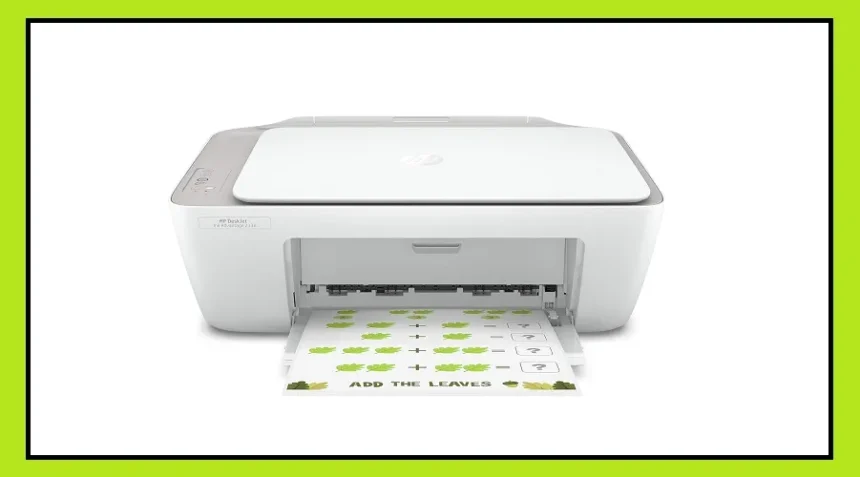
If you are planning to buy a new printer this month, this is a great time. Amazon is offering good discounts on popular brands like HP, Canon, Brother, and Epson.
Inkjet printers are a popular choice because they can print both documents and photos in high quality. They are ideal for students, home users, and even small offices.
Why Inkjet Printers Are a Smart Choice
Modern inkjet printers now come with Ink Tank technology, which makes printing much cheaper than older cartridge-based printers.
Instead of replacing expensive cartridges, you can simply refill the ink. This reduces the cost per page and saves money in the long run.
Another big advantage is Wi-Fi connectivity. Most new printers allow you to print directly from your smartphone, laptop, or tablet without cables.

All-in-One Printers Are in High Demand
Many buyers now prefer all-in-one printers because they can print, scan, and copy in one machine.
This not only saves space but also reduces the need to buy multiple devices. Whether you are a student or working from home, these printers are very useful.
Top Printer Options You Can Consider
Canon PIXMA MG3070S – Best Budget Option
This is a compact and affordable printer made for home use and students.

Supports print, scan, and copy
Wi-Fi and mobile printing available
Good for occasional use
Best for: Light usage and budget buyers
Watch out: Ink cost can be slightly high
HP DeskJet Ink Advantage 2338 – Simple and Reliable
A basic printer that is easy to use and perfect for daily tasks.
Print, scan, and copy support

Compact design for small desks
Plug-and-play via USB
Best for: Beginners and students
Watch out: No wireless printing
HP Ultra Ink Advantage 4929 – Value with Extra Ink
This model offers extra ink packs, making it cost-effective over time.
Wireless printing support
Comes with additional ink sets
Stylish and compact design
Best for: Home and small office use
Watch out: Slightly slower printing speed
Brother DCP-T730DW – Best for Heavy Office Work
A powerful printer designed for high-volume printing.
Auto duplex (double-side printing)
ADF (automatic document feeder)
Very high page yield
Best for: Offices and heavy users
Watch out: Higher price
Brother DCP-T535DW – Mid-Range All-Rounder
A good balance of price and performance.
Auto duplex printing
High page yield
Strong build and memory
Best for: Home offices
Watch out: No ADF
Epson EcoTank L130 – Low Cost Printing
A single-function printer focused only on printing.
Very low printing cost
High-quality output
Lightweight and durable
Best for: Users who only need printing
Watch out: No Wi-Fi and no scan/copy features
Epson EcoTank L6460 – Premium Performance
A high-end printer for fast and heavy work.
Fast printing speed
Auto duplex and wireless features
Very low cost per page
Best for: Business and professional use
Watch out: Expensive and bulky
What is an Inkjet Printer and How It Works
An inkjet printer uses liquid ink to print text and images on paper. It sprays tiny droplets of ink through very small nozzles to create clear and sharp prints.
How it works:
The print head contains thousands of tiny nozzles
Ink is sprayed in very fine droplets
These droplets form text and images with high precision
Main parts:
Print head: Sprays ink on paper
Ink tank/cartridge: Stores ink (CMYK colors)
Paper tray: Holds paper
Motor system: Moves the print head
Final Tip Before You Buy
Before choosing a printer, always check:
Printing cost per page
User ratings and reviews
Connectivity options (Wi-Fi or USB)
Pick a model that fits your daily needs and budget. A slightly higher upfront cost can save you more money in the long run through lower ink costs.