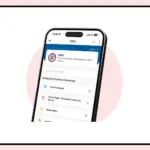
WhatsApp Scheduled Messages are beginning to roll out to select Android beta users, bringing a feature that lets people decide when their messages should be delivered.
The new option is designed to help users send text messages, links, photos and videos at a chosen date and time without having to remember to send them manually.
The feature could be useful for people who want to send birthday wishes at midnight, share a meeting reminder at a particular time or deliver important information to a WhatsApp group without waiting until the last moment.
However, it is currently available only to some beta testers and has not been released to all users.
WhatsApp Scheduled Messages: How the Feature Works
According to reports, the feature is appearing in WhatsApp beta for Android version 2.26.40.7.
Users who have access to it can compose a message in a personal or group chat and press and hold the send button to open the scheduling option.
They can then select the date and time for delivery. The reported scheduling window starts at least 10 minutes after the current time and extends up to two weeks into the future.
Once the selected time arrives, WhatsApp is designed to send the message automatically, even if the app is closed or the phone is offline.
The feature is intended to make everyday communication more convenient by allowing users to prepare messages in advance.
Instead of setting a separate reminder to send a message later, they can schedule it directly within the conversation.
Photos, Videos and Links Can Also Be Scheduled
The new feature is not limited to text messages.
Reports indicate that users can also schedule links, photos and videos, making it useful for sharing event details, images or other information at a specific time.
There is, however, a limitation when scheduling media. The current beta implementation reportedly allows only one photo or video in a scheduled message at a time.
Users may also be able to edit a photo or add a caption before scheduling it.
This means users may need to schedule multiple media files separately rather than send them together as a single scheduled message.
The available options could change as WhatsApp continues testing the feature.
How to Manage or Delete Scheduled Messages
WhatsApp is also reportedly adding a dedicated section within the chat information screen to manage messages that have been scheduled but not yet delivered.
Users with access to the feature can check their pending messages and delete them before the selected delivery time.
If a scheduled message is deleted before it is sent, the recipient will not receive a notification about that cancellation.
This option could be useful when plans change or a message needs to be cancelled before it reaches the recipient.
Users will be able to review their scheduled messages rather than having to remember every message they have prepared in advance.
What Android Users Should Know Before Trying It
The scheduled messaging feature is being introduced gradually through the Android beta programme.
Installing the relevant beta version does not guarantee that the option will appear, because access is currently limited to selected accounts.
WhatsApp has not announced an official date for a wider stable release.
The feature is expected to support both individual and group conversations.
However, scheduled messages in groups reportedly reach only members who were part of the group when the message was scheduled.
People who join the group afterward may not receive that previously scheduled message.
For now, Android users will need to wait for the feature to become available on their accounts. If it appears, they can use the press-and-hold action on the send button to check the scheduling options.
Until a wider rollout is confirmed, the feature should be treated as a beta-stage development rather than a facility available to every WhatsApp user.