Have you ever been stopped by the traffic police and suddenly realized that you forgot to carry your driving licence?
It happens to many people, especially now that most payments are made online and fewer people carry their wallets every day.
The good news is that you don’t always need the physical licence.
The government allows you to keep a digital version of your driving licence on your smartphone, and it is legally valid.
You can store your driving licence in two official government apps—NextGen mParivahan and DigiLocker.
If the traffic police ask for your licence, you can simply show the digital copy from these apps.
What Is a Virtual Driving Licence?
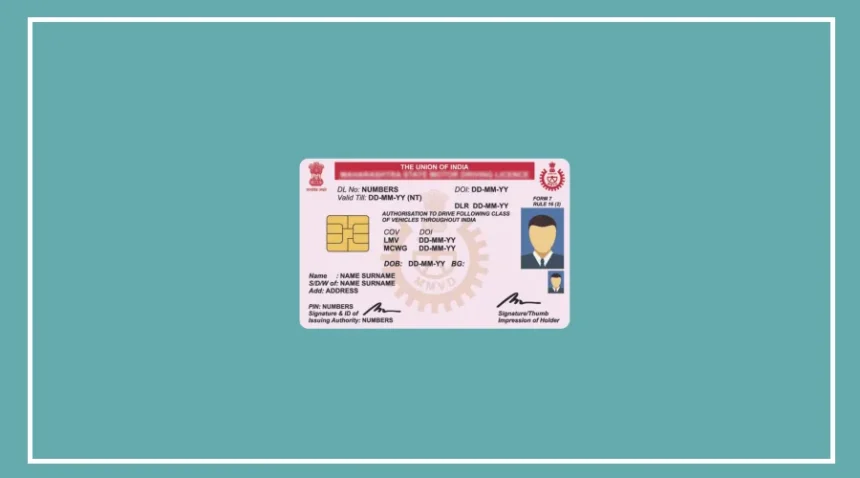
A virtual driving licence is the digital version of your original driving licence.
It has the same legal validity as the physical card issued by the transport department.
Unlike a plastic card or laminated licence that can be lost or damaged, the virtual licence stays safely stored on your phone.
Another useful feature is its QR code.
Traffic police can scan the QR code to instantly verify whether your licence is genuine and check related details.
This makes the verification process faster and easier.
Under the IT Act and the rules of the Ministry of Road Transport and Highways, a driving licence stored in DigiLocker or NextGen mParivahan is legally accepted.
You cannot be fined simply because you are showing the digital version instead of the physical card.
How to Save Your Driving Licence in NextGen mParivahan
Follow these simple steps:
Download and install the NextGen mParivahan app.
Register using your mobile number and log in with the OTP.
Tap on the Driving Licence option on the home screen.
Enter your driving licence number and date of birth.
Click Search to view your licence details.
Select Add to Dashboard or Create Virtual DL.
Complete OTP verification.
Your Virtual Driving Licence will be created and saved in the app dashboard.
Once saved, you can open the dashboard and show your digital licence along with its QR code whenever required. The document can also be accessed even without an internet connection.
How to Store Your Driving Licence in DigiLocker
You can also save your licence in DigiLocker by following these steps:
Download and install the DigiLocker app.
Log in using your mobile number or Aadhaar.
Search for Ministry of Road Transport and Highways.
Open the first result and choose Driving Licence.
Enter your driving licence number and date of birth.

Tap Get Document.
Your driving licence will be fetched automatically and saved in the Issued Documents section.
After that, you can easily show the digital licence from DigiLocker whenever needed, even if you are not connected to the internet.
Why You Should Keep a Digital Driving Licence
Keeping a virtual driving licence on your phone can save you from unnecessary stress during traffic checks.
Since most people carry their smartphones all the time, having your licence stored in an official government app means you don’t have to worry about forgetting your wallet.
It is safe, easy to access, legally valid, and accepted across the country.