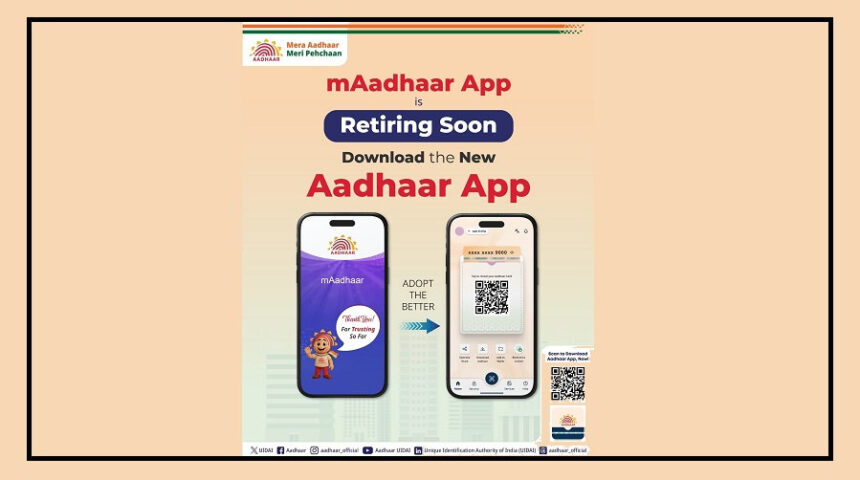
If you are still using the mAadhaar app on your smartphone, this update is important for you.
UIDAI has officially announced that the old mAadhaar app will soon be retired. In a recent post shared from its official account, UIDAI asked users to switch to the new Aadhaar app for a smarter, faster, and safer experience.
The new app comes with improved security features, better privacy controls, and easier access to Aadhaar-related services.
Why Is the Old mAadhaar App Being Discontinued?
UIDAI has not shared the exact reason behind shutting down the old app.
However, reports suggest that the mAadhaar app had become outdated over time.
The app was launched several years ago, and its interface and technology no longer match modern security standards.
With rising cyber fraud and increasing concerns around data privacy, UIDAI appears to be focusing on a more secure and advanced platform.
This is why users are now being encouraged to move to the new Aadhaar app.
What’s New in the Aadhaar App?
The new Aadhaar app is designed to offer a smoother and safer digital experience.
One of its major highlights is the smart QR-based verification system.
This feature helps users verify identity securely while reducing the risk of data theft.
The app also offers quick access to several Aadhaar services directly from your phone.
Key Features of the New Aadhaar App
Faster and more user-friendly interface
Better privacy and stronger security features
Smart QR code for secure identity verification
Easy Aadhaar download option
Facility to order Aadhaar PVC card
Option to check profile update status
How to Download the New Aadhaar App
Since the old mAadhaar app will stop working soon, users should install the new app as early as possible.
You can download it from the Google Play Store or Apple App Store.
While downloading, make sure the developer name is only “UIDAI” to avoid fake or fraudulent apps.
Steps to Install the App
Download the app from the official app store
Open the Aadhaar app after installation
Select your preferred language
Register using your mobile number
After completing these steps, you can start using Aadhaar services directly from your smartphone.