Many people face problems because their leaving date is not updated on the portal.
The good news is that you don’t need to visit your old company or any office.
You can update it online through Employees’ Provident Fund Organisation using your phone.
Why Updating Date of Exit is Important
Updating your Date of Exit is necessary for several reasons.
First, you cannot withdraw your full PF amount unless your exit date is updated.
Second, if you want to withdraw your pension amount using Form 10C, this detail is required.
Third, transferring PF money from your old company to your new account also needs an updated DOE.
In simple words, without this update, your PF process may get stuck.
How to Update DOE Online
Updating your Date of Exit is simple and can be done in a few steps.
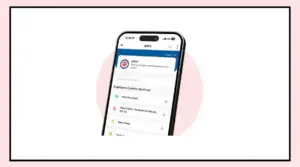
Go to the EPFO Member Unified Portal and log in using your UAN and password.
After logging in, click on the “View” section and open “Service History.”
If your old company shows “Date of Exit – Not Available,” you need to update it.
Now follow these steps:
Note your joining date in the new company
Make sure your exit date is before your new joining date
Go to the “Manage” tab and click on “Mark Exit”
Select your previous company
Enter your exit date and choose “Short Service” as the reason
Click on Request OTP
Enter the OTP received on your Aadhaar-linked mobile number and submit
Once done, your Date of Exit will be updated, and you can check it in your service history.
Important Things to Keep in Mind
There are a few important rules you should follow while updating DOE.
You cannot update it immediately after leaving your job.
You must wait at least 60 days.
The exit date should always be earlier than your joining date in the new company.
Always enter the correct last working date to avoid issues later.
Choose the correct reason for leaving the job, such as Short Service or Cessation.
Also, make sure your Aadhaar is linked to your mobile number, as the process works through OTP verification.